Verlato
Verlato turns your git history into release notes you can trust. It reads the commits between two refs, groups them into pull-request-sized changesets, works out what each one actually changed, and drafts a changelog entry and GitHub release notes for you to review and apply.
What makes it different is the evidence. Verlato is powered by the
IntentumDiff semantic diff engine,
which reviews every commit and tells Verlato whether a change is behavioural, purely
additive, a refactoring or move, or formatting only, and which functions, methods and
classes were added, removed, renamed or re-signatured. A commit called wip that renames a
public function is flagged for review as a possible breaking change; a feat: commit that
only reformats code is flagged as a contradiction.
Powered by IntentumDiff and your agent
IntentumDiff (documentation) supplies the evidence: what each commit actually changed. Your agent supplies the words: Claude Code, Codex, GitHub Copilot or any other MCP client, or a model of your choice, local by default.
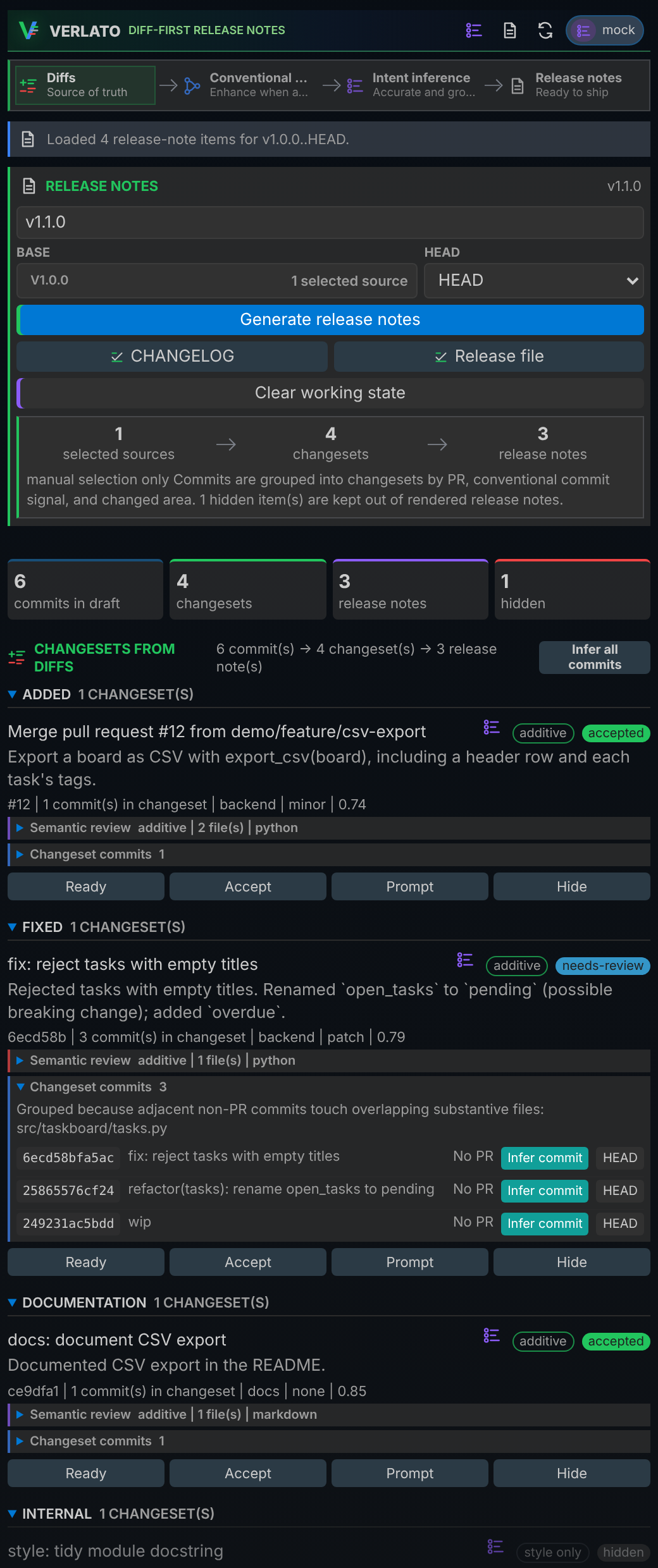
You can use Verlato in three ways, all backed by the same native program:
- The command line:
verlato draft preview --from-latest-tagprints release notes for everything since your last tag. See The command line. - The VS Code extension: review changesets, see the semantic review, ask a model for
better wording, and apply the notes to
CHANGELOG.mdor a release file without leaving the editor. See The VS Code extension. - An MCP client such as GitHub Copilot or Claude:
verlato servegives agents tools to scan, review and apply release notes, and to read the semantic diff. See The MCP server.
Models are optional. Without one, Verlato classifies and summarises changes deterministically from commit messages, labels and the semantic review. With one (a local Ollama model by default, or LiteLLM, GitHub Models, the Codex or Claude Code CLIs, or your own plugin) it can suggest better summaries, under a privacy mode you choose. Models see IntentumDiff's semantic diff, never your raw patches, unless you allow it.
Where to start
- Getting started
- Install Verlato and produce your first release notes in a minute.
- User guide
- Concepts, the CLI, the VS Code extension, models, privacy, style and MCP.
- Reference
- Every command and flag,
verlato.json, environment variables, protocols and output formats. - Technical guide
- Architecture, the semantic evidence, extension points, building, testing and releasing.
Open source, open core
Verlato's core (this documentation) is open source under the Apache License 2.0, at buchochelliq-labs/verlato-core. Everything one developer needs is free; team and organisation features are built separately on core's public extension points. See Open core.