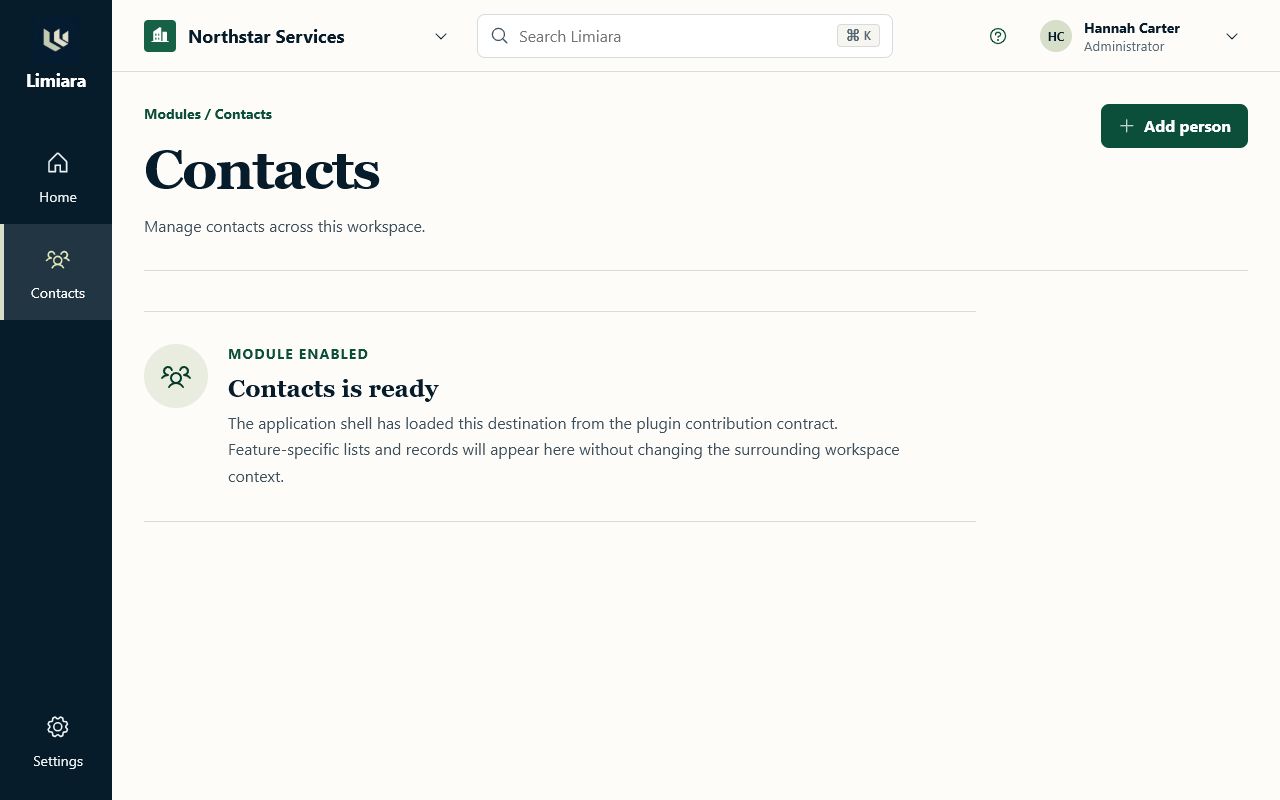
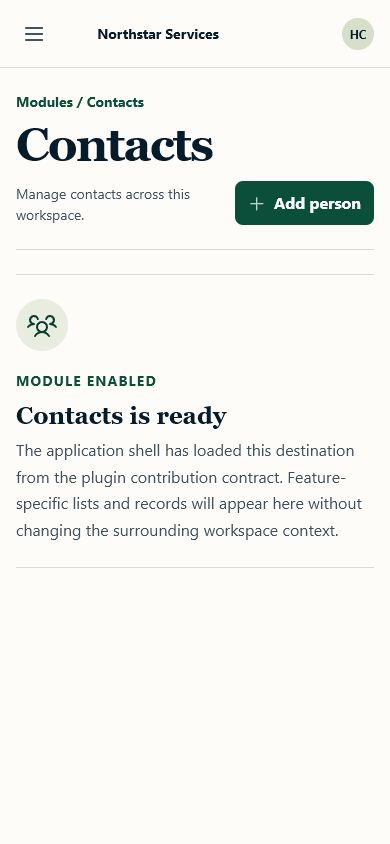
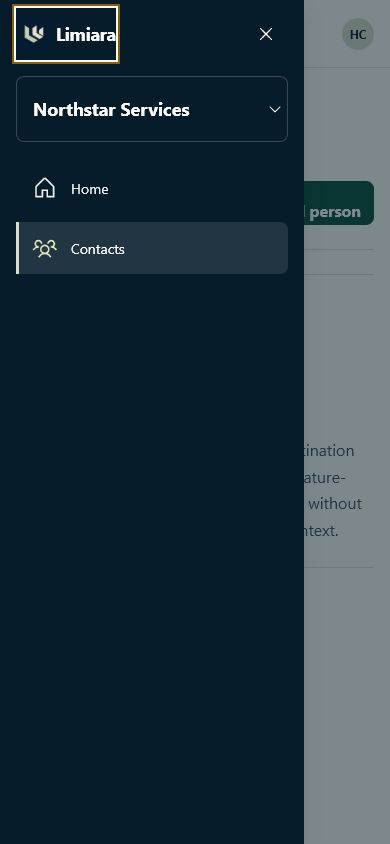
Plugin-aware application shell
Status: Implemented for issue #97
Visual source: Accepted People workspace direction
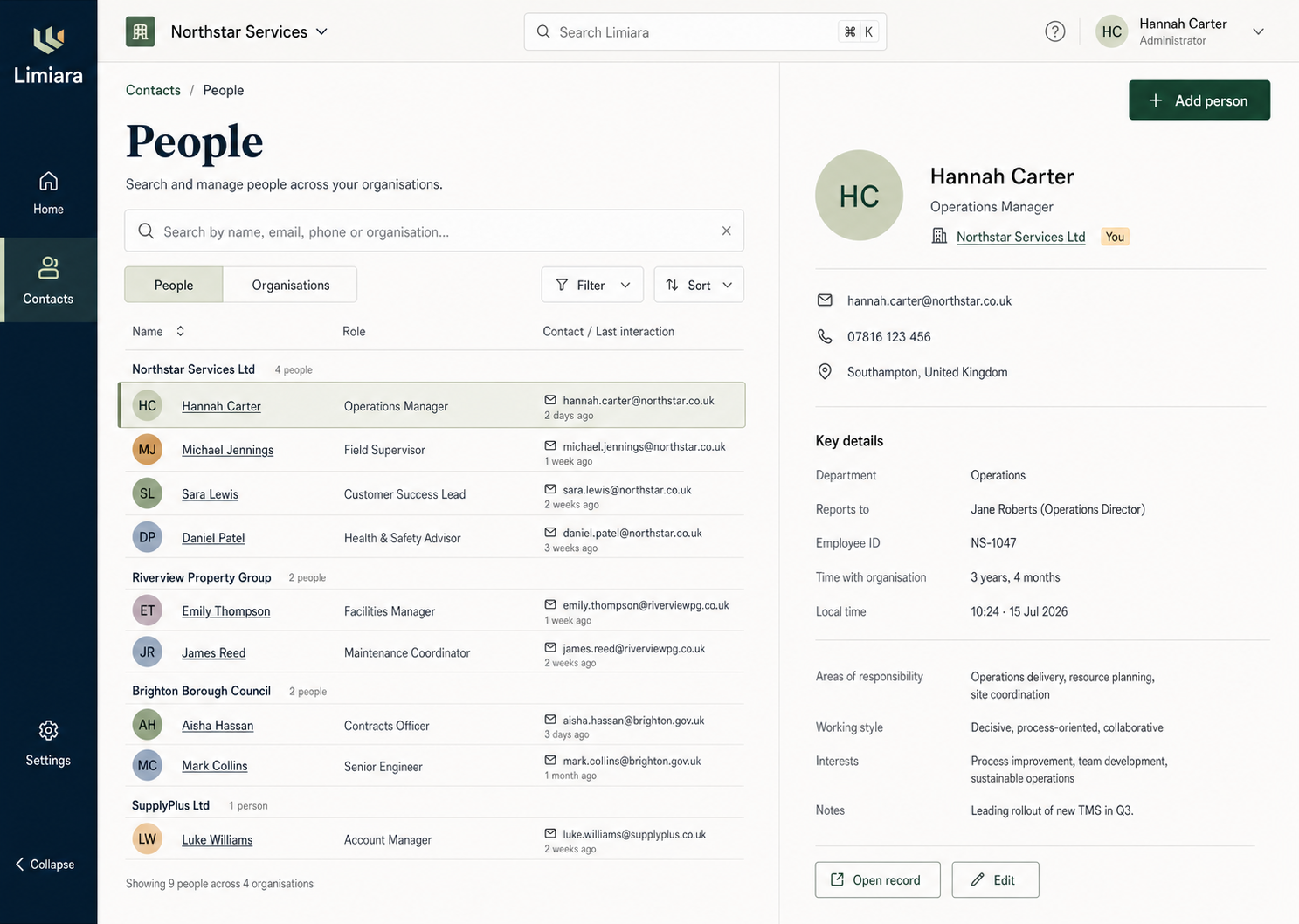
The shell establishes Limiara’s durable workspace frame without coupling the host to Contacts. It consumes validated navigation contributions and reserves the content canvas for the active host or plugin route.
Shell regions
- The desktop rail (72px) holds the Limiara home affordance, the feature launcher, host Home and Settings destinations, and the features each enabled plugin contributes between them; labels show as tooltips and in the phone drawer.
- The workspace bar keeps the active workspace, global search entry point, help, and account context stable while the content route changes.
- The page header owns the route breadcrumb, one level-one heading, supporting context, and an optional primary-action slot.
- The content canvas renders the active contribution or an honest lifecycle/permission state without exposing unavailable routes.
At widths below 768px, the persistent rail becomes a modal navigation drawer. The compact top bar retains the workspace selector, menu control, and account entry; the page action remains in the content header. Opening the drawer moves focus inside, Tab/Shift+Tab stay within it, and Escape returns focus to the menu button.
Vocabulary
What a plugin adds to a workspace is called a feature everywhere a person reads it: the rail, launcher, home, settings and messages. "Plugin" stays the engineering term (ADR 0011).
Contribution contract
Navigation is loaded from /api/v1/workspaces/{workspace_id}/ui/contributions and ordered by each contribution’s order value. The shell maps the validated icon identifier (people, organisations, activity, tasks, cases, calendar, or the legacy users) to a maintained glyph and object colour; unknown identifiers receive the generic feature tile rather than executing plugin-provided UI code. The feature launcher and the workspace home list the same contributions.
Home and Settings are host routes. No feature is hard-coded into the rail: People and Organisations appear only when the contribution response includes them, and a nested route resolves to the contribution with the longest matching route prefix. Direct routes without a current contribution render the unavailable state and never reconstruct a hidden navigation item.
The current development server falls back to realistic Northstar/Riverview fixture context when Gate 1 endpoints are not reachable. Production builds do not use that fallback. Development-only shell-state query values (loading, empty, denied, and error) make the lifecycle states deterministic for review.
Contacts people workflows
The people directory, person record, and person form are rendered from the
Contacts plugin's UI metadata and read and write the workspace-scoped Contacts
API through one typed client (apps/web/src/contacts/api.ts). The client keeps
the API's stable problem codes so each surface maps real responses to explicit
states: validation.failed field errors, auth.permission_denied,
contacts.record_not_found, contacts.version_conflict (the form offers the
latest saved values; the record shows that it changed), and contacts.unavailable
or a network failure. The directory is a table list view by default (a card list on narrow screens or when the person chooses Cards): the name column names each row, the Name and Updated headers sort, active search and relationship filters show as removable chips, and every row has an Open button. Directory paging uses the API's opaque cursors; the shell
keeps the cursors it has visited so "Previous" returns to the page the person
came from, and the result summary says "more available" rather than inventing a
total the API does not report. Custom fields are shown and submitted only when
the workspace has an active definition for them, and the relationship filter is
offered only by sources that can filter on that custom field (the API cannot
yet). Restore is offered only when the source can restore an archived person. The person record opens with a highlights panel (object tile, identity, five key fields, primary actions), a read-only relationship stage path for callers who can read custom fields, and Details, Related and Activity tabs; the activity tab shows the timeline the Contacts consumer projects from the record's events, and the right rail holds the organisation card and feature-contributed cards. Archive and restore sit at the end of Details rather than beside Edit.
Unit tests and the browser visual suite use a fixture client with the same
contract (fixture-client.ts), or answer the API routes from the fixture
catalogue, so every state renders deterministically without a server.
Development-only query values keep review deterministic: people-state
(loading, empty, denied, error, disabled, archived), detail-state
(loading, missing, denied, error, archived, version-changed,
disabled, workspace-changed), and form-state (denied, error,
duplicate, conflict). Production builds ignore them. The plugin lifecycle
acceptance journey (scripts/test-plugin-lifecycle-acceptance.sh) drives the
production build through create → reload → edit → archive against the real
API.
Workspace and route focus
- Selecting a workspace immediately clears existing navigation and renders the stable loading shell.
- A monotonically increasing request sequence discards stale navigation responses.
- Completion is announced through one polite live region, including the new workspace and available-feature count.
- After a workspace change, focus moves to the current route heading. Client-side route changes update browser history, document title, active navigation, and heading focus.
- Direct routes that are disabled or unavailable receive the same guarded result as navigation omissions.
Typed query caching, full route registration, session-expiry handling, and backend permission enforcement remain coordinated with #33 and the Gate 1 session issues.